
To review your marketing sources statistics, follow the next steps:
- Login into your account
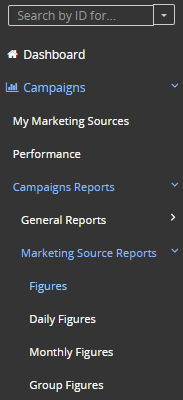
- Dashboard>Campaigns> Campaigns Reports>Marketing Source Reports> Figures
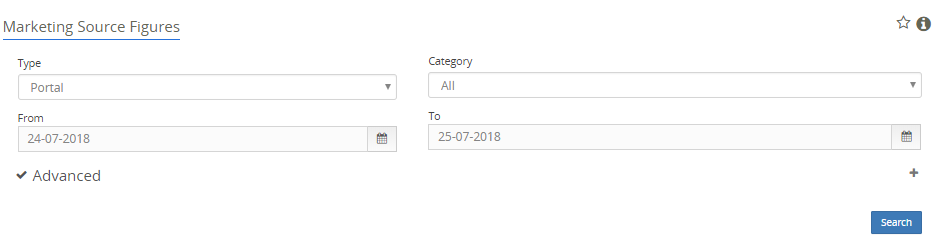
- Click 'Advanced' and chose your Marketing source:
- You have the option to run different reports like: 'daily or monthly figures' reports or even 'group figures' reports.
- Select the date ranges and click 'Search'. You will get access to all the data.
- It is important to keep in mind that without customer's signups no data will be shown in these reports.
Comments